


pgvector vs Qdrant vs Weaviate: Vector Databases for JavaScript 2026
TL;DR
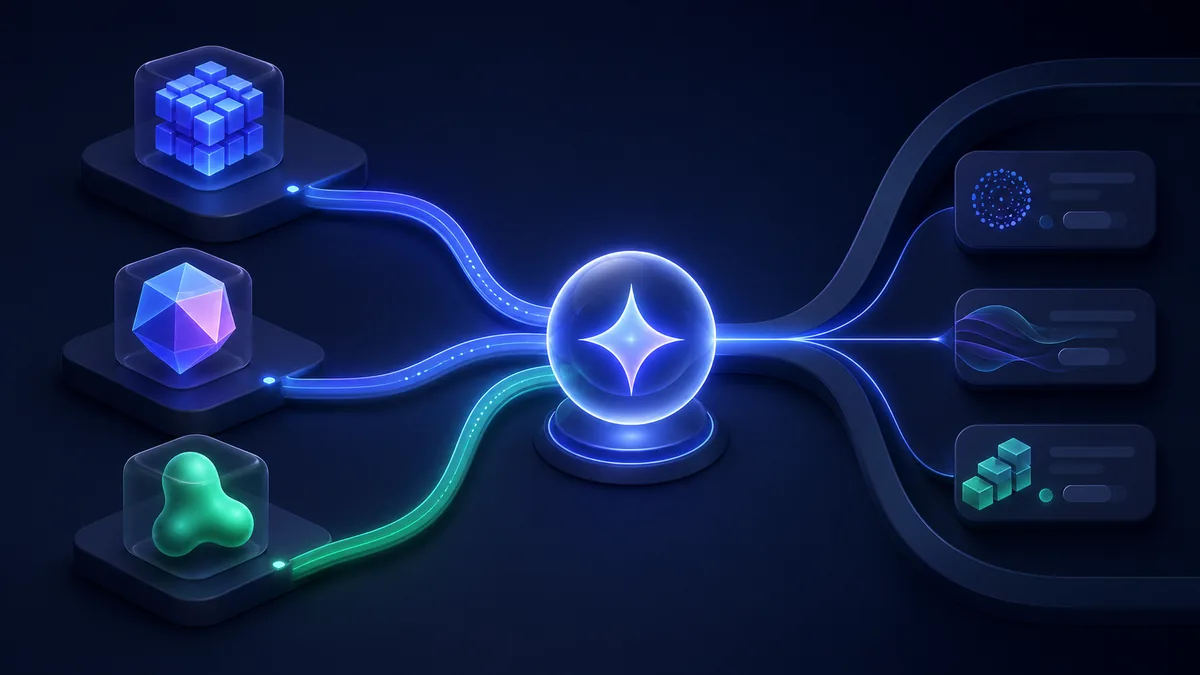
Vector databases store and search embeddings — the numerical representations that power semantic search, RAG (Retrieval-Augmented Generation), and recommendation systems. pgvector is the pragmatic choice — add vector search to your existing PostgreSQL database using a Postgres extension. Qdrant is the purpose-built vector database — written in Rust for performance, it offers the best ANN (Approximate Nearest Neighbor) search speed and the richest filtering capabilities. Weaviate has the most complete AI integration — built-in vectorization modules (OpenAI, Cohere, HuggingFace), GraphQL query interface, and multi-modal support. If you already use Postgres: pgvector. For production vector search with complex filters: Qdrant. For schema-first AI-native applications: Weaviate.
Key Takeaways
- pgvector adds <5ms overhead to existing Postgres queries — no new infrastructure required
- Qdrant can handle 1M+ vectors with sub-millisecond query times at full scale
- Weaviate's vectorizer modules can generate embeddings automatically without OpenAI SDK calls
- pgvector is not a vector database — it's a Postgres extension; for large-scale ANN search, purpose-built DBs win
- Qdrant GitHub stars: ~22k — fastest-growing standalone vector database
- All three support HNSW algorithm — the standard for accurate, fast ANN search
- pgvector v0.7 added HNSW — previously only IVFFlat, now competitive with standalone vector DBs
When You Need Vector Search
Vector databases solve one core problem: finding semantically similar items rather than exact matches.
Traditional search: WHERE title LIKE '%machine learning%' — misses "ML", "deep learning", "neural networks"
Vector search: Encode "machine learning" as an embedding → find documents with similar vectors → returns semantically related content even without keyword match.
Use cases:
- RAG — retrieve relevant context from a knowledge base for LLM answers
- Semantic search — find products/articles/documents by meaning, not keywords
- Recommendations — find similar items based on user behavior vectors
- Duplicate detection — find near-duplicate content at scale
pgvector: Vector Search in PostgreSQL
pgvector adds a vector data type and similarity search operators to PostgreSQL. If your app already uses Postgres, this is the lowest-friction path to vector search.
The fundamental advantage of pgvector over dedicated vector databases is that it's part of your existing database. Your vector embeddings are co-located with the relational data they describe, which enables JOIN queries that are impossible across separate systems. A RAG query that retrieves semantically similar documents AND filters by user ownership, publication status, and date range runs as a single SQL query in pgvector. In a separate vector database, you'd retrieve candidates by vector similarity and then apply filters either in the vector database (if it supports payload filtering) or in post-processing. The single-system approach is architecturally simpler and eliminates the network hop between systems.
pgvector's indexing story has improved significantly since the HNSW (Hierarchical Navigable Small World) index was added in v0.5.0. HNSW provides approximate nearest neighbor search with configurable recall vs. speed tradeoffs — the m parameter controls graph connectivity and the ef_search parameter controls query-time beam width. For most RAG applications, the default HNSW settings achieve 95%+ recall with sub-10ms query times on datasets up to 1M vectors on reasonable hardware.
The main pgvector limitations are real but often overstated. pgvector's HNSW implementation doesn't yet support online index updates as efficiently as Qdrant's implementation — adding vectors to an HNSW index requires rebuilding it or using slower sequential scans until the index is rebuilt. For applications with continuous vector ingestion, this is a genuine concern. For applications that batch-load knowledge bases (common in document RAG systems), it's a non-issue. Storage also scales predictably: a table with 1M vectors at 1536 dimensions requires roughly 6GB for the vectors plus an additional 2-4GB for the HNSW index, all within PostgreSQL's storage model.
Installation
# Via Docker
docker run -d \
  --name pgvector \
  -e POSTGRES_PASSWORD=mypassword \
  -p 5432:5432 \
  pgvector/pgvector:pg16

# Or enable on existing Postgres with pgvector installed
-- Enable the extension
CREATE EXTENSION IF NOT EXISTS vector;
Schema Setup
-- Create a table with a vector column
CREATE TABLE documents (
  id          BIGSERIAL PRIMARY KEY,
  content     TEXT NOT NULL,
  embedding   vector(1536),  -- OpenAI text-embedding-3-small dimensions
  metadata    JSONB,
  created_at  TIMESTAMPTZ DEFAULT NOW()
);

-- Create HNSW index for fast ANN search
CREATE INDEX ON documents USING hnsw (embedding vector_cosine_ops)
  WITH (m = 16, ef_construction = 64);
Node.js with Drizzle ORM
// db/schema.ts — Drizzle + pgvector
import { pgTable, bigserial, text, jsonb, customType } from "drizzle-orm/pg-core";

const vector = customType<{ data: number[]; driverData: string }>({
  dataType(config) {
    return `vector(${config?.dimensions ?? 1536})`;
  },
  toDriver(value: number[]) {
    return JSON.stringify(value);
  },
  fromDriver(value: string) {
    return JSON.parse(value);
  },
});

export const documents = pgTable("documents", {
  id: bigserial("id", { mode: "number" }).primaryKey(),
  content: text("content").notNull(),
  embedding: vector("embedding", { dimensions: 1536 }),
  metadata: jsonb("metadata"),
});
// lib/vector-search.ts — semantic search with pgvector
import OpenAI from "openai";
import { drizzle } from "drizzle-orm/postgres-js";
import postgres from "postgres";
import { sql } from "drizzle-orm";

const openai = new OpenAI();
const client = postgres(process.env.DATABASE_URL!);
const db = drizzle(client);

// Generate embedding for a query
async function embed(text: string): Promise<number[]> {
  const response = await openai.embeddings.create({
    model: "text-embedding-3-small",
    input: text,
  });
  return response.data[0].embedding;
}

// Semantic search — find similar documents
async function semanticSearch(query: string, limit = 5) {
  const queryEmbedding = await embed(query);

  const results = await db.execute(sql`
    SELECT
      id,
      content,
      metadata,
      1 - (embedding <=> ${JSON.stringify(queryEmbedding)}::vector) AS similarity
    FROM documents
    ORDER BY embedding <=> ${JSON.stringify(queryEmbedding)}::vector
    LIMIT ${limit}
  `);

  return results.rows;
}

// Hybrid search — combine keyword + semantic search
async function hybridSearch(query: string, limit = 5) {
  const queryEmbedding = await embed(query);

  // RRF (Reciprocal Rank Fusion) hybrid search
  const results = await db.execute(sql`
    WITH semantic AS (
      SELECT id, ROW_NUMBER() OVER (ORDER BY embedding <=> ${JSON.stringify(queryEmbedding)}::vector) AS rank
      FROM documents
      LIMIT 50
    ),
    keyword AS (
      SELECT id, ROW_NUMBER() OVER (ORDER BY ts_rank(to_tsvector('english', content), plainto_tsquery('english', ${query})) DESC) AS rank
      FROM documents
      WHERE to_tsvector('english', content) @@ plainto_tsquery('english', ${query})
      LIMIT 50
    )
    SELECT
      d.id, d.content, d.metadata,
      COALESCE(1.0/(60 + s.rank), 0) + COALESCE(1.0/(60 + k.rank), 0) AS score
    FROM documents d
    LEFT JOIN semantic s ON d.id = s.id
    LEFT JOIN keyword k ON d.id = k.id
    WHERE s.id IS NOT NULL OR k.id IS NOT NULL
    ORDER BY score DESC
    LIMIT ${limit}
  `);

  return results.rows;
}
Qdrant: Production-Grade Vector Search
Qdrant is a standalone vector database written in Rust, designed for production-scale similarity search. It supports complex filtering, payload indexing, and multiple vector spaces per document.
Installation
# Docker
docker run -d \
  --name qdrant \
  -p 6333:6333 \
  -v qdrant_storage:/qdrant/storage \
  qdrant/qdrant:latest

# Node.js client
npm install @qdrant/js-client-rest
Collection Setup
import { QdrantClient } from "@qdrant/js-client-rest";

const client = new QdrantClient({ url: "http://localhost:6333" });

// Create a collection
await client.createCollection("documents", {
  vectors: {
    size: 1536,         // OpenAI text-embedding-3-small
    distance: "Cosine",
    hnsw_config: {
      m: 16,
      ef_construct: 100,
      full_scan_threshold: 10000,
    },
  },
  optimizers_config: {
    indexing_threshold: 20000,
  },
});

// Create payload index for efficient filtering
await client.createPayloadIndex("documents", {
  field_name: "source",
  field_schema: "keyword",
});
Insert and Search
import OpenAI from "openai";
import { QdrantClient } from "@qdrant/js-client-rest";

const openai = new OpenAI();
const qdrant = new QdrantClient({ url: "http://localhost:6333" });

// Batch insert with embeddings
async function indexDocuments(docs: Array<{ id: string; content: string; source: string }>) {
  const embeddings = await openai.embeddings.create({
    model: "text-embedding-3-small",
    input: docs.map((d) => d.content),
  });

  await qdrant.upsert("documents", {
    wait: true,
    points: docs.map((doc, i) => ({
      id: doc.id,
      vector: embeddings.data[i].embedding,
      payload: {
        content: doc.content,
        source: doc.source,
        created_at: new Date().toISOString(),
      },
    })),
  });
}

// Semantic search with filtering
async function search(query: string, source?: string) {
  const queryEmbedding = await openai.embeddings.create({
    model: "text-embedding-3-small",
    input: query,
  });

  const results = await qdrant.search("documents", {
    vector: queryEmbedding.data[0].embedding,
    limit: 5,
    with_payload: true,
    filter: source
      ? {
          must: [{ key: "source", match: { value: source } }],
        }
      : undefined,
    score_threshold: 0.7,
  });

  return results.map((r) => ({
    score: r.score,
    content: (r.payload as any).content,
    source: (r.payload as any).source,
  }));
}
Multi-Vector Search (Sparse + Dense)
// Qdrant supports hybrid search natively with sparse + dense vectors
await client.createCollection("hybrid-docs", {
  vectors: {
    dense: { size: 1536, distance: "Cosine" },
  },
  sparse_vectors: {
    sparse: {},  // BM25 sparse vectors
  },
});

// Search with prefetch fusion
const results = await client.query("hybrid-docs", {
  prefetch: [
    {
      query: denseEmbedding,
      using: "dense",
      limit: 20,
    },
    {
      query: { indices: sparseIndices, values: sparseValues },
      using: "sparse",
      limit: 20,
    },
  ],
  query: { fusion: "rrf" },  // Reciprocal Rank Fusion
  limit: 5,
  with_payload: true,
});
Weaviate: Schema-First AI Integration
Weaviate has built-in vectorizer modules — instead of calling OpenAI separately and storing embeddings yourself, you configure which model to use and Weaviate handles vectorization automatically.
Weaviate's architecture differs from the other two in a significant way: it's built around the concept of "objects with classes" rather than tables with rows or collections with points. Each class in Weaviate has a schema that specifies both the data properties and the vectorization configuration. This schema-first approach means you define the AI pipeline (which embedding model, which generative model) at the class level, and all objects in that class follow the same pipeline. The benefit is consistency and simplicity — you can't accidentally use different embedding models for the same class. The cost is flexibility — changing the embedding model requires migrating your entire dataset, because all vectors in a class use the same dimensional space.
Weaviate's generative search capability — sometimes called "RAG in a query" — is genuinely distinctive. A single Weaviate GraphQL query can retrieve relevant objects by vector similarity AND generate a response from an LLM using those objects as context, all without any orchestration code in your application. This is convenient for building chatbots and Q&A systems quickly. For applications that need more control over the prompt construction, context selection strategy, or LLM parameters, building the orchestration in application code (using LangChain.js, Mastra, or the Vercel AI SDK) with pgvector or Qdrant as the retrieval layer gives more flexibility.
The GraphQL interface is one of Weaviate's most distinctive choices. Most developers working in JavaScript are comfortable with GraphQL from Apollo Client or other tools, which makes Weaviate's query interface approachable. The query syntax for vector search with metadata filters is expressive and intuitive. The tradeoff is that GraphQL queries are less composable than SQL — building dynamic filter conditions in GraphQL is more verbose than the equivalent SQL WHERE clause construction.
Installation
# Docker with OpenAI vectorizer
docker run -d \
  --name weaviate \
  -p 8080:8080 \
  -e OPENAI_APIKEY=$OPENAI_API_KEY \
  -e ENABLE_MODULES="text2vec-openai,generative-openai" \
  -e DEFAULT_VECTORIZER_MODULE="text2vec-openai" \
  cr.weaviate.io/semitechnologies/weaviate:latest

npm install weaviate-client
Schema and Collection Setup
import weaviate, { WeaviateClient } from "weaviate-client";

const client: WeaviateClient = await weaviate.connectToLocal();

// Define collection with auto-vectorization
await client.collections.create({
  name: "Document",
  vectorizers: weaviate.configure.vectorizer.text2VecOpenAI({
    model: "text-embedding-3-small",
    modelVersion: "3",
  }),
  generative: weaviate.configure.generative.openAI({
    model: "gpt-4o",
  }),
  properties: [
    { name: "content", dataType: weaviate.configure.dataType.TEXT },
    { name: "source", dataType: weaviate.configure.dataType.TEXT },
    { name: "category", dataType: weaviate.configure.dataType.TEXT },
    { name: "createdAt", dataType: weaviate.configure.dataType.DATE },
  ],
});
Insert, Search, and Generative RAG
const documents = client.collections.get("Document");

// Insert — Weaviate auto-vectorizes using the configured model
await documents.data.insertMany([
  {
    content: "Machine learning is a subset of artificial intelligence",
    source: "textbook",
    category: "AI",
  },
]);

// Semantic search — no need to generate embeddings yourself
const results = await documents.query.nearText(["deep learning concepts"], {
  limit: 5,
  returnMetadata: ["score"],
  filters: documents.filter.byProperty("category").equal("AI"),
});

// Generative search — RAG built-in
const ragResult = await documents.generate.nearText(
  ["What is machine learning?"],
  {
    singlePrompt: "Explain this in simple terms: {content}",
  },
  { limit: 3 }
);

ragResult.objects.forEach((obj) => {
  console.log("Generated:", obj.generated);
  console.log("Source:", obj.properties.content);
});
Feature Comparison
| Feature | pgvector | Qdrant | Weaviate |
|---|---|---|---|
| Type | Postgres extension | Standalone vector DB | Standalone vector DB |
| New infra needed | ❌ (uses existing PG) | ✅ | ✅ |
| Auto-vectorization | ❌ | ❌ | ✅ Built-in |
| HNSW support | ✅ v0.7+ | ✅ | ✅ |
| Hybrid search | Manual SQL | ✅ Native | ✅ Native |
| Complex filtering | SQL WHERE | ✅ JSON filter | ✅ GraphQL |
| Multi-tenancy | Schemas/tables | ✅ Collections | ✅ Tenants |
| Generative search | ❌ | ❌ | ✅ Built-in |
| Node.js client | Via pg/postgres.js | ✅ Official | ✅ Official |
| Self-hostable | ✅ | ✅ | ✅ |
| Managed cloud | Via Neon/Supabase | ✅ Qdrant Cloud | ✅ Weaviate Cloud |
| Scale to 1M+ vectors | Possible (with tuning) | ✅ Excellent | ✅ Good |
| GitHub stars | 14k | 22k | 12k |
When to Use Each
Choose pgvector if:
- You already run PostgreSQL and don't want new infrastructure
- Your vector dataset is under 1M documents (pgvector scales reasonably)
- You need to JOIN vector search results with relational data (native in Postgres)
- Your team knows SQL and prefers one database for everything
Choose Qdrant if:
- Your vector dataset exceeds 1M documents or you need sub-millisecond query times
- You need complex payload filtering combined with vector search
- You're building a production search system and need fine-grained performance tuning
- Multiple vector spaces per document (multi-modal: text + image vectors) are needed
Choose Weaviate if:
- Auto-vectorization (no external embedding calls) simplifies your pipeline
- Built-in generative search (RAG without extra orchestration) fits your use case
- GraphQL query interface fits your team's preference
- You're building multi-modal search (text + images + video)
The decision tree above captures most cases, but a few cross-cutting concerns shape the choice beyond these bullet points. Budget matters: pgvector adds nothing to an existing Postgres bill, while dedicated vector databases add $100-500/month for production-grade managed instances. Team expertise matters: if your team knows SQL deeply and doesn't want to learn a new query language, pgvector's SQL interface is faster to productive. AI pipeline maturity matters: Weaviate is convenient when you're building fast, Qdrant or pgvector give more control as you optimize. For teams building AI-powered applications and evaluating the full AI stack, best npm packages for AI agents 2026 covers how vector databases integrate with LangChain.js, Mastra, and other AI frameworks that orchestrate the retrieval and generation pipeline.
Ecosystem and Community
pgvector is maintained by Andrew Kane and backed by Supabase (which ships pgvector in its hosted Postgres instances) and Neon (which does the same). The extension has become a standard part of managed Postgres offerings — if you provision a Postgres database on Supabase, Neon, or AWS Aurora, pgvector is available immediately. The GitHub repository has over 14,000 stars and receives regular updates. Because it's a Postgres extension, the entire Postgres ecosystem (Drizzle, Prisma, psycopg2, pg) works with it without modification.
Qdrant is a VC-backed company that open-sourced its core database. With 22,000 GitHub stars and sustained growth, it's the most-starred dedicated vector database. The Qdrant team publishes regular performance benchmarks comparing against Pinecone, Weaviate, and pgvector, and the Rust-based implementation consistently shows strong results in ANN search speed and memory efficiency. Qdrant Cloud (the managed service) provides production hosting with a free tier.
Weaviate is also VC-backed (Series B) and is notable for its module ecosystem — the text2vec-* and generative-* modules let you configure an AI model once at the collection level and never call the AI API directly from your application code. This architectural choice makes Weaviate pipelines simpler but less flexible. Weaviate's GraphQL interface is unusual in the database world but provides expressive querying for complex AI-powered search patterns.
Real-World Adoption
pgvector has become the standard choice for startups and teams that already run Postgres. Companies using Supabase or Neon as their primary database often don't need a separate vector database at all — they enable pgvector, store embeddings in a column, and perform semantic search with SQL. For RAG applications where the knowledge base is under a million documents, this approach is operationally superior to running a separate vector database service.
Qdrant powers production search at companies where vector search is the core product — AI-powered search tools, semantic code search, and enterprise knowledge management systems. The Qdrant benchmark suite (publicly available on qdrant.tech/benchmarks) shows query times under 1ms at 1M vectors with proper HNSW tuning, making it compelling for latency-sensitive applications. The multi-vector capability (storing both a sparse BM25 vector and a dense semantic vector per document) is used in hybrid search systems that need both keyword precision and semantic recall.
Weaviate is popular in the AI application developer community because it reduces the "plumbing" needed to build RAG systems. Instead of calling OpenAI for embeddings, storing them in a database, and calling OpenAI again for generation, Weaviate handles both steps in a single query. Companies building AI-native products — document Q&A, AI-powered search, content recommendations — often choose Weaviate because it makes the architecture simpler even if it introduces coupling to a specific AI provider.
The adoption pattern in 2026 follows a consistent trajectory: teams start with pgvector because it's already in their database, hit a performance or feature ceiling (typically at 500K-2M vectors or when complex metadata filtering becomes a bottleneck), and then evaluate Qdrant as an upgrade. This migration happens surprisingly infrequently — many teams find pgvector's performance acceptable at their actual dataset size, and the operational simplicity tradeoff never tips toward migrating. For teams where vector search is a primary product feature rather than an auxiliary capability, Qdrant is often the starting point rather than the endpoint of a migration. The best vector database clients for JavaScript 2026 covers the TypeScript SDK comparison for all three databases in more detail.
Performance and Benchmarks
The ANN-Benchmarks project (ann-benchmarks.com) provides standardized recall vs. queries-per-second measurements. At 10M vectors with 96 dimensions (SIFT dataset), HNSW implementations typically achieve 95%+ recall at 10,000 QPS on a single node. The gap between pgvector and dedicated vector databases widens as dataset size grows.
At 100K vectors, all three approaches are fast enough that the choice is primarily about operational simplicity. At 1M vectors, pgvector performs acceptably with proper HNSW indexing but begins to show memory pressure. At 10M+ vectors, Qdrant's Rust implementation and on-disk indexing provide material advantages — it can handle datasets that don't fit in RAM, while pgvector loads all vectors into Postgres shared buffers.
For embedding generation, the bottleneck is almost never the vector database — it's the embedding API call. OpenAI's text-embedding-3-small takes roughly 50-200ms per batch request. Weaviate's auto-vectorization doesn't eliminate this latency; it just moves the API call from your application code to inside Weaviate's server. For high-throughput indexing, batching embedding calls and using Qdrant's bulk upsert API achieves ingestion rates of 50,000-100,000 vectors per minute on a typical deployment.
Migration Guide
Adding pgvector to an existing Postgres project is the lowest-risk vector migration. Install the extension (CREATE EXTENSION vector), add a vector column to your existing tables, generate embeddings for existing data in batches, and create an HNSW index. If your team uses Drizzle ORM, the customType approach shown above integrates cleanly with existing schema definitions.
Migrating from pgvector to Qdrant makes sense when your vector dataset grows beyond 5-10M entries or when query performance with complex metadata filters becomes unacceptable. The migration requires exporting your embeddings (they're stored as JSON arrays in Postgres), creating equivalent collections in Qdrant, and upserting the vectors via Qdrant's REST API. Qdrant's import API handles batches of 10,000 points efficiently.
Adopting Weaviate in a greenfield project is simplest when you're building from scratch and want the auto-vectorization to reduce pipeline complexity. The key decision is which vectorizer module to configure — locking into text2vec-openai means Weaviate calls OpenAI on your behalf; if OpenAI changes pricing or you want to switch to a different embedding model, you'll need to re-vectorize your entire collection.
Planning for embedding model upgrades is an often-overlooked aspect of vector database migrations. When OpenAI releases a new embedding model (as they did with text-embedding-3-small and text-embedding-3-large in early 2024), your existing vectors are incompatible with the new model's output. This means any migration to a new embedding model requires re-vectorizing your entire dataset regardless of which vector database you use. The infrastructure to do this efficiently — batch embedding generation, parallel upsert to the vector store, rollback capability — is worth building regardless of which database you choose. For teams building robust AI infrastructure, the AI SDK vs LangChain JavaScript 2026 comparison covers the orchestration layer tools that manage these batch operations.
Final Verdict 2026
For the majority of web applications building their first RAG or semantic search feature, pgvector is the right starting point. It's already in your database, requires no new infrastructure, and scales to millions of vectors with proper HNSW indexing. The operational simplicity of not running a separate service is worth the performance tradeoff until you demonstrably need more.
Qdrant earns its place in production systems where vector search is the core product capability and performance at scale is a requirement. Its benchmarks are best-in-class, its filtering capabilities are the richest of the three, and the managed Qdrant Cloud service removes most operational complexity. For anyone building search-first products with large datasets, Qdrant is the defensible choice.
Weaviate's auto-vectorization is a genuine convenience but also a genuine coupling. For teams building quickly who don't want to manage the embedding pipeline, it's attractive. For teams who want complete control over their AI pipeline, pgvector or Qdrant with manual embedding generation gives more flexibility.
Embedding Models and Vector Dimensions
The choice of embedding model determines your vector dimensions, which in turn affects storage requirements and query performance. Understanding this relationship before selecting a vector database matters more than the database choice itself in many cases.
OpenAI's text-embedding-3-small produces 1536-dimensional vectors. text-embedding-3-large produces 3072-dimensional vectors with better semantic accuracy at roughly double the storage cost. Cohere's embed-multilingual-v3.0 produces 1024-dimensional vectors with strong multilingual support. Sentence Transformers models from HuggingFace range from 384 to 1024 dimensions depending on the model variant.
Higher dimensions improve semantic accuracy but increase storage and query time. For pgvector, a table with 1M vectors at 1536 dimensions requires roughly 6GB of storage for the vectors alone (1M × 1536 × 4 bytes per float). At 3072 dimensions, that doubles to 12GB. The HNSW index adds additional overhead — typically 40-60% of the vector storage size. Planning storage capacity before implementing vector search prevents painful migrations later.
Dimension reduction is a practical optimization. pgvector and Qdrant both support using lower-dimensional vectors for initial candidate retrieval and re-ranking with full-dimension vectors for the final results. This two-stage approach uses less storage for the index while maintaining accuracy in the final results. OpenAI's embedding API supports reducing dimensions from 1536 to 256 with minimal accuracy loss, which can dramatically reduce storage and query costs in high-volume applications.
RAG Architecture Patterns
Retrieval Augmented Generation (RAG) is the primary driver of vector database adoption in 2026. Understanding where vector search fits in a complete RAG architecture helps make the right database selection.
In a standard RAG pipeline: user query → embed query → vector search → retrieve relevant documents → combine with query → send to LLM → response. The vector database is responsible for the "embed query → vector search → retrieve documents" step. The performance of this step determines end-to-end latency for every user interaction.
For applications where RAG latency must be under 100ms, pgvector with an HNSW index on a fast machine is viable for datasets under 1M vectors. For latency-sensitive applications at larger scales, Qdrant's performance advantage becomes material. The best npm packages for AI agents 2026 covers how vector databases integrate with AI agent frameworks like Mastra and LangChain.js that orchestrate the full RAG pipeline.
Hybrid search — combining vector similarity with keyword search — is increasingly standard in production RAG systems. Pure vector search misses exact keyword matches that users expect. pgvector supports hybrid search natively by combining <=> vector distance with PostgreSQL's full-text search (@@ operator) in a single query, using RRF (Reciprocal Rank Fusion) to combine the result sets. Qdrant and Weaviate also support hybrid search. The pgvector approach has the advantage of being a single query against a single database, eliminating the complexity of merging results from separate systems.
Cost Comparison at Scale
Total cost of ownership at different scales determines whether pgvector's operational simplicity advantage outweighs Qdrant's performance advantage for your use case.
At the smallest scale (under 100K vectors), all three options have negligible infrastructure cost. pgvector adds nothing to an existing PostgreSQL bill. Qdrant Cloud starts at $0 for a free cluster with 1GB storage. Weaviate Serverless is pay-per-use. The cost difference is effectively zero.
At medium scale (1M-10M vectors), the picture changes. pgvector requires a larger PostgreSQL instance (16GB+ RAM is recommended for 5M+ vectors with HNSW indexes). A Neon or RDS PostgreSQL instance with 16GB RAM costs roughly $150-300/month. Qdrant Cloud with equivalent storage and a 4-core cluster costs $200-400/month. The costs are similar, and the choice comes down to operational simplicity versus query performance. For teams already paying for managed PostgreSQL, pgvector's marginal cost is near zero.
Ecosystem and Community
pgvector is maintained by Andrew Kane and backed by Supabase (which ships pgvector in its hosted Postgres instances) and Neon (which does the same). The extension has become a standard part of managed Postgres offerings — if you provision a Postgres database on Supabase, Neon, or AWS Aurora, pgvector is available immediately. The GitHub repository has over 14,000 stars and receives regular updates. Because it's a Postgres extension, the entire Postgres ecosystem (Drizzle, Prisma, psycopg2, pg) works with it without modification.
Qdrant is a VC-backed company that open-sourced its core database. With 22,000 GitHub stars and sustained growth, it's the most-starred dedicated vector database. The Qdrant team publishes regular performance benchmarks comparing against Pinecone, Weaviate, and pgvector, and the Rust-based implementation consistently shows strong results in ANN search speed and memory efficiency. Qdrant Cloud (the managed service) provides production hosting with a free tier.
Weaviate is also VC-backed (Series B) and is notable for its module ecosystem — the text2vec-* and generative-* modules let you configure an AI model once at the collection level and never call the AI API directly from your application code. This architectural choice makes Weaviate pipelines simpler but less flexible. Weaviate's GraphQL interface is unusual in the database world but provides expressive querying for complex AI-powered search patterns.
Real-World Adoption
pgvector has become the standard choice for startups and teams that already run Postgres. Companies using Supabase or Neon as their primary database often don't need a separate vector database at all — they enable pgvector, store embeddings in a column, and perform semantic search with SQL. For RAG applications where the knowledge base is under a million documents, this approach is operationally superior to running a separate vector database service.
Qdrant powers production search at companies where vector search is the core product — AI-powered search tools, semantic code search, and enterprise knowledge management systems. The Qdrant benchmark suite (publicly available on qdrant.tech/benchmarks) shows query times under 1ms at 1M vectors with proper HNSW tuning, making it compelling for latency-sensitive applications. The multi-vector capability (storing both a sparse BM25 vector and a dense semantic vector per document) is used in hybrid search systems that need both keyword precision and semantic recall.
Weaviate is popular in the AI application developer community because it reduces the "plumbing" needed to build RAG systems. Instead of calling OpenAI for embeddings, storing them in a database, and calling OpenAI again for generation, Weaviate handles both steps in a single query. Companies building AI-native products — document Q&A, AI-powered search, content recommendations — often choose Weaviate because it makes the architecture simpler even if it introduces coupling to a specific AI provider.
Performance and Benchmarks
The ANN-Benchmarks project (ann-benchmarks.com) provides standardized recall vs. queries-per-second measurements. At 10M vectors with 96 dimensions (SIFT dataset), HNSW implementations typically achieve 95%+ recall at 10,000 QPS on a single node. The gap between pgvector and dedicated vector databases widens as dataset size grows.
At 100K vectors, all three approaches are fast enough that the choice is primarily about operational simplicity. At 1M vectors, pgvector performs acceptably with proper HNSW indexing but begins to show memory pressure. At 10M+ vectors, Qdrant's Rust implementation and on-disk indexing provide material advantages — it can handle datasets that don't fit in RAM, while pgvector loads all vectors into Postgres shared buffers.
For embedding generation, the bottleneck is almost never the vector database — it's the embedding API call. OpenAI's text-embedding-3-small takes roughly 50-200ms per batch request. Weaviate's auto-vectorization doesn't eliminate this latency; it just moves the API call from your application code to inside Weaviate's server. For high-throughput indexing, batching embedding calls and using Qdrant's bulk upsert API achieves ingestion rates of 50,000-100,000 vectors per minute on a typical deployment.
Migration Guide
Adding pgvector to an existing Postgres project is the lowest-risk vector migration. Install the extension (CREATE EXTENSION vector), add a vector column to your existing tables, generate embeddings for existing data in batches, and create an HNSW index. If your team uses Drizzle ORM, the customType approach shown above integrates cleanly with existing schema definitions.
Migrating from pgvector to Qdrant makes sense when your vector dataset grows beyond 5-10M entries or when query performance with complex metadata filters becomes unacceptable. The migration requires exporting your embeddings (they're stored as JSON arrays in Postgres), creating equivalent collections in Qdrant, and upserting the vectors via Qdrant's REST API. Qdrant's import API handles batches of 10,000 points efficiently.
Adopting Weaviate in a greenfield project is simplest when you're building from scratch and want the auto-vectorization to reduce pipeline complexity. The key decision is which vectorizer module to configure — locking into text2vec-openai means Weaviate calls OpenAI on your behalf; if OpenAI changes pricing or you want to switch to a different embedding model, you'll need to re-vectorize your entire collection.
Final Verdict 2026
For the majority of web applications building their first RAG or semantic search feature, pgvector is the right starting point. It's already in your database, requires no new infrastructure, and scales to millions of vectors with proper HNSW indexing. The operational simplicity of not running a separate service is worth the performance tradeoff until you demonstrably need more.
Qdrant earns its place in production systems where vector search is the core product capability and performance at scale is a requirement. Its benchmarks are best-in-class, its filtering capabilities are the richest of the three, and the managed Qdrant Cloud service removes most operational complexity. For anyone building search-first products with large datasets, Qdrant is the defensible choice.
Weaviate's auto-vectorization is a genuine convenience but also a genuine coupling. For teams building quickly who don't want to manage the embedding pipeline, it's attractive. For teams who want complete control over their AI pipeline, pgvector or Qdrant with manual embedding generation gives more flexibility.
Methodology
Data sourced from GitHub repositories (star counts as of February 2026), official benchmarks (ANN-Benchmarks, Qdrant benchmarks suite), and community performance reports. pgvector performance benchmarks from the pgvector GitHub repository and community testing. npm weekly download statistics from npmjs.com (January 2026).
Related: Best AI LLM Libraries JavaScript 2026, Turso vs PlanetScale vs Neon Serverless Database 2026, Drizzle-Kit vs Atlas vs dbmate Schema Migration Tools 2026
Also related: Langfuse vs LangSmith vs Helicone for LLM observability in RAG pipelines, or Mastra vs LangChain.js vs GenKit for AI frameworks that use vector search.