


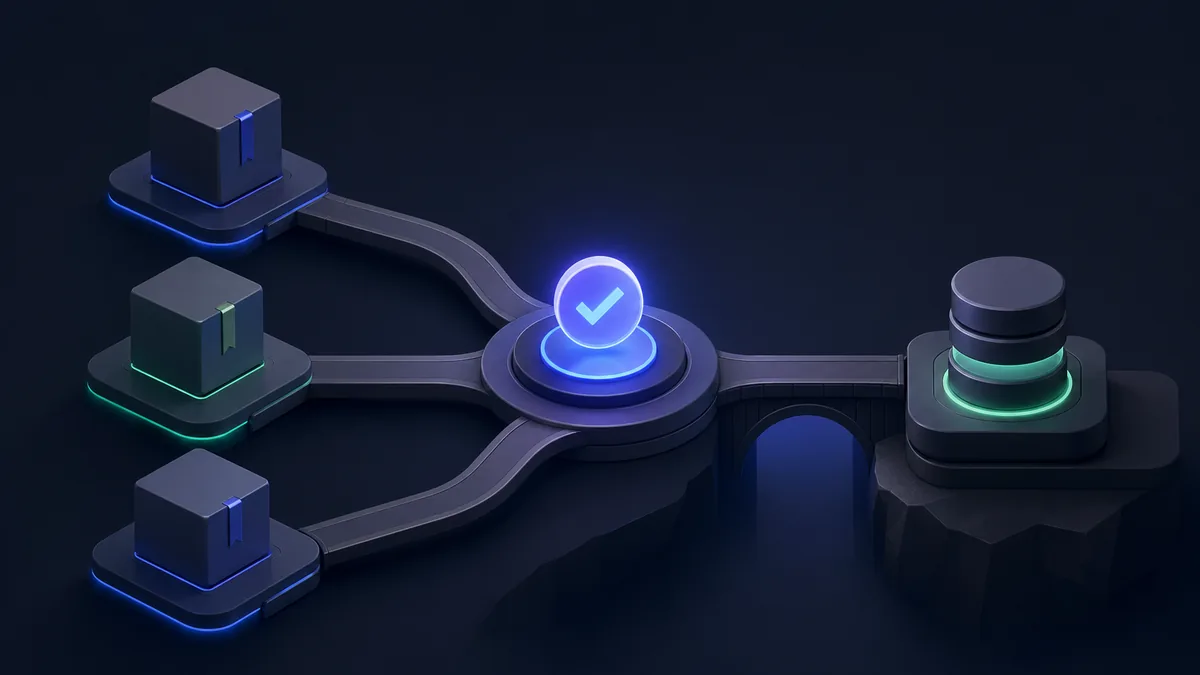
TinyBase vs WatermelonDB vs RxDB: Offline-First Databases 2026
TL;DR
Offline-first apps store data locally and sync when connected. TinyBase is the most modern — a reactive, relational-ish store built for TypeScript with impressive bundle size (~5 KB), designed for both React web and React Native. WatermelonDB is the React Native specialist — built for performance on mobile with SQLite backend, used in production at Nozbe and Notion-style apps with 50k+ records. RxDB is the most comprehensive — reactive offline database with sync adapters for CouchDB, Supabase, Firestore, and more, plus full TypeScript support and a plugin architecture. For lightweight local state with optional sync: TinyBase. For React Native apps with large local datasets: WatermelonDB. For offline apps needing production sync to any backend: RxDB.
Key Takeaways
- TinyBase is ~5 KB gzipped — the lightest option with surprisingly rich features
- WatermelonDB uses SQLite via native bindings for 5-50x faster queries than AsyncStorage
- RxDB supports 15+ sync adapters — CouchDB, Supabase, Firestore, GraphQL, and custom REST
- All three provide React hooks for reactive UI updates on data changes
- TinyBase GitHub stars: ~5k — newest but fastest-growing
- WatermelonDB GitHub stars: ~10k — the proven React Native choice
- RxDB v16 supports Dexie as default storage — works in browser, Node.js, React Native, and Electron
The Offline-First Problem
Simple apps use fetch() → server → render. Offline-first apps invert this:
Offline-First Architecture:
1. Read → Local DB first (instant, no network needed)
2. Write → Local DB first (works offline)
3. Sync → Push/pull changes to server when connected
4. Conflict resolution → Merge concurrent changes

Result: App works with no internet. Syncs automatically when connected.
TinyBase: Reactive Local Store
TinyBase is a modern reactive data store with a tabular model (tables + rows + cells), TypeScript-first design, and an optional sync layer. It works in browsers, Node.js, and React Native.
Installation
npm install tinybase
# React Native
npm install tinybase react-native-mmkv  # For MMKV persistent storage
Basic Store
import { createStore } from "tinybase";

// Create a store
const store = createStore();

// Set values
store.setTable("todos", {
  "1": { text: "Buy groceries", completed: false, priority: 1 },
  "2": { text: "Walk the dog", completed: true, priority: 2 },
  "3": { text: "Read a book", completed: false, priority: 3 },
});

// Query data
const todos = store.getTable("todos");
const firstTodo = store.getRow("todos", "1");
const isCompleted = store.getCell("todos", "1", "completed");

// Update
store.setCell("todos", "1", "completed", true);

// Delete
store.delRow("todos", "2");
React Integration
import { createStore } from "tinybase";
import {
  Provider,
  useTable,
  useRow,
  useCell,
  useSetCellCallback,
  useSetRowCallback,
  useDelRowCallback,
} from "tinybase/ui-react";

const store = createStore();

function TodoItem({ id }: { id: string }) {
  const text = useCell("todos", id, "text") as string;
  const completed = useCell("todos", id, "completed") as boolean;

  const toggle = useSetCellCallback(
    "todos",
    id,
    "completed",
    () => !completed,
    [completed]
  );

  const remove = useDelRowCallback("todos", id);

  return (
    <div>
      <input type="checkbox" checked={completed} onChange={toggle} />
      <span style={{ textDecoration: completed ? "line-through" : "none" }}>
        {text}
      </span>
      <button onClick={remove}>Delete</button>
    </div>
  );
}

function TodoList() {
  const todos = useTable("todos");

  return (
    <Provider store={store}>
      <ul>
        {Object.keys(todos).map((id) => (
          <li key={id}>
            <TodoItem id={id} />
          </li>
        ))}
      </ul>
    </Provider>
  );
}
TinyBase Relationships and Queries
import { createStore, createRelationships, createQueries } from "tinybase";

const store = createStore();

// Define relationships
const relationships = createRelationships(store);
relationships.setRelationshipDefinition(
  "todoProject",  // Relationship name
  "todos",         // Local table
  "projects",      // Remote table
  "projectId"      // Foreign key in todos
);

// Define queries (like SQL views, reactive)
const queries = createQueries(store);
queries.setQueryDefinition(
  "incompleteTodos",  // Query name
  "todos",             // Table
  ({ select, where, order }) => {
    select("text");
    select("priority");
    where("completed", false);
    order("priority");
  }
);

// Get query results — updates reactively as data changes
const results = store.getResultTable("incompleteTodos");
Persistence (React Native with MMKV)
import { createStore } from "tinybase";
import { createMmkvPersister } from "tinybase/persisters/persister-react-native-mmkv";
import { MMKV } from "react-native-mmkv";

const mmkv = new MMKV();
const store = createStore();
const persister = createMmkvPersister(store, mmkv);

// Load from storage and start auto-saving
await persister.startAutoLoad();
await persister.startAutoSave();

// Now all store changes are persisted automatically
store.setCell("todos", "1", "completed", true);  // Auto-saved
WatermelonDB: React Native SQL Performance
WatermelonDB uses SQLite via native modules, making it 5-50x faster than AsyncStorage-based solutions for large datasets. It's designed for apps with thousands of records.
Installation
npm install @nozbe/watermelondb
# Install native SQLite adapter
npx expo install expo-sqlite  # For Expo
# Or for bare React Native:
npm install @nozbe/react-native-sqlite-storage
Schema Definition
// model/schema.ts
import { appSchema, tableSchema } from "@nozbe/watermelondb";

export const schema = appSchema({
  version: 3,  // Increment when schema changes
  tables: [
    tableSchema({
      name: "todos",
      columns: [
        { name: "text", type: "string" },
        { name: "is_completed", type: "boolean" },
        { name: "priority", type: "number" },
        { name: "project_id", type: "string", isIndexed: true },
        { name: "created_at", type: "number" },
        { name: "updated_at", type: "number" },
      ],
    }),
    tableSchema({
      name: "projects",
      columns: [
        { name: "name", type: "string" },
        { name: "color", type: "string", isOptional: true },
        { name: "created_at", type: "number" },
        { name: "updated_at", type: "number" },
      ],
    }),
  ],
});
Model Definition
// model/Todo.ts
import { Model } from "@nozbe/watermelondb";
import { field, date, readonly, relation } from "@nozbe/watermelondb/decorators";

export class Todo extends Model {
  static table = "todos";

  static associations = {
    projects: { type: "belongs_to" as const, key: "project_id" },
  };

  @field("text") text!: string;
  @field("is_completed") isCompleted!: boolean;
  @field("priority") priority!: number;
  @readonly @date("created_at") createdAt!: Date;
  @readonly @date("updated_at") updatedAt!: Date;

  @relation("projects", "project_id") project!: any;
}
Database Setup and Queries
import { Database } from "@nozbe/watermelondb";
import SQLiteAdapter from "@nozbe/watermelondb/adapters/sqlite";
import { schema } from "./model/schema";
import { Todo } from "./model/Todo";

// Create database
const adapter = new SQLiteAdapter({
  schema,
  migrations: undefined,  // Add migrations for schema updates
  dbName: "myapp",
  jsi: true,  // Use JSI for performance
});

const database = new Database({
  adapter,
  modelClasses: [Todo],
});

// Query todos
const todosCollection = database.get<Todo>("todos");

// Get all incomplete todos — lazy, doesn't run until subscribed
const incompleteTodos = todosCollection.query(
  Q.where("is_completed", false),
  Q.sortBy("priority", Q.asc)
);

// Create a todo
await database.write(async () => {
  await todosCollection.create((todo) => {
    todo.text = "New task";
    todo.isCompleted = false;
    todo.priority = 1;
  });
});

// Update a todo
await database.write(async () => {
  await existingTodo.update((todo) => {
    todo.isCompleted = true;
  });
});
React Hooks Integration
import { withObservables } from "@nozbe/watermelondb/react";

// withObservables makes components re-render when data changes
const enhance = withObservables(["todo"], ({ todo }: { todo: Todo }) => ({
  todo: todo.observe(),
}));

const TodoItem = ({ todo }: { todo: Todo }) => (
  <View>
    <Text>{todo.text}</Text>
    <Switch value={todo.isCompleted} onValueChange={() => {
      todo.database.write(() => todo.update((t) => { t.isCompleted = !t.isCompleted; }));
    }} />
  </View>
);

const EnhancedTodoItem = enhance(TodoItem);

// List with observable query
const TodoList = withObservables([], ({ database }) => ({
  todos: database.get("todos").query(Q.where("is_completed", false)).observe(),
}))(({ todos }) => (
  <FlatList
    data={todos}
    renderItem={({ item }) => <EnhancedTodoItem todo={item} />}
    keyExtractor={(item) => item.id}
  />
));
RxDB: Full Offline Sync Database
RxDB is the most production-complete offline-first database. It has 15+ sync adapters and works across every JavaScript environment.
Installation
npm install rxdb
# For React Native
npm install rxdb react-native-sqlite-storage
Database and Collection Setup
import { createRxDatabase, addRxPlugin } from "rxdb";
import { getRxStorageDexie } from "rxdb/plugins/storage-dexie";  // Browser
// Or for React Native: import { getRxStorageSQLite } from "rxdb/plugins/storage-sqlite";

const todoSchema = {
  title: "todo schema",
  version: 0,
  primaryKey: "id",
  type: "object",
  properties: {
    id: { type: "string", maxLength: 100 },
    text: { type: "string" },
    completed: { type: "boolean" },
    priority: { type: "number" },
    projectId: { type: "string" },
    updatedAt: { type: "number" },
  },
  required: ["id", "text", "completed"],
  indexes: ["projectId", "updatedAt"],
};

const db = await createRxDatabase({
  name: "myapp",
  storage: getRxStorageDexie(),
  ignoreDuplicate: true,
});

await db.addCollections({
  todos: { schema: todoSchema },
});
Reactive Queries
// RxDB queries are observable — emit new results on data changes
const todos$ = db.todos
  .find({
    selector: { completed: { $eq: false } },
    sort: [{ priority: "asc" }],
  })
  .$ ;  // $ = Observable

// Subscribe to reactive query
todos$.subscribe((todos) => {
  console.log("Todos updated:", todos.length);
});

// React hook
import { useRxQuery } from "rxdb-hooks";

function TodoList() {
  const { result: todos, isFetching } = useRxQuery(
    db.todos.find({ selector: { completed: false } })
  );

  if (isFetching) return <Loading />;
  return <FlatList data={todos} renderItem={...} />;
}
Sync with Supabase
import { replicateSupabase } from "rxdb/plugins/replication-supabase";
import { createClient } from "@supabase/supabase-js";

const supabase = createClient(process.env.SUPABASE_URL!, process.env.SUPABASE_ANON_KEY!);

const replicationState = await replicateSupabase({
  replicationIdentifier: "todos-sync",
  collection: db.todos,
  supabaseClient: supabase,
  table: "todos",
  pull: {
    batchSize: 100,
    filter: `user_id=eq.${userId}`,
  },
  push: {
    batchSize: 100,
  },
});

replicationState.error$.subscribe((error) => {
  console.error("Sync error:", error);
});

replicationState.active$.subscribe((active) => {
  console.log("Sync active:", active);
});
Feature Comparison
| Feature | TinyBase | WatermelonDB | RxDB |
|---|---|---|---|
| Bundle size | ~5 KB | Native module | ~200 KB (depends on plugins) |
| Storage backend | Various | SQLite (native) | Dexie/SQLite/others |
| React Native | ✅ | ✅ Optimized | ✅ |
| Browser | ✅ | ❌ | ✅ |
| Sync adapters | Basic | Manual | ✅ 15+ adapters |
| Reactive queries | ✅ | ✅ | ✅ |
| TypeScript | ✅ First-class | ✅ | ✅ |
| Query language | Fluent API | Q (custom) | RxDB query (Mango) |
| Relations | ✅ | ✅ | ✅ |
| Offline by default | ✅ | ✅ | ✅ |
| Supabase sync | Manual | Manual | ✅ Official plugin |
| GitHub stars | 5k | 10k | 22k |
| Performance (large datasets) | Good | ✅ Excellent (SQLite) | Good |
Sync Conflict Resolution Strategies
Offline-first databases fundamentally must solve conflict resolution when the same record is modified on multiple devices while disconnected. The three libraries take different approaches. RxDB's replication plugins implement a last-write-wins strategy by default, with the server's version winning on conflict — simple but can cause data loss if two users edit the same document offline. RxDB's conflict handler is customizable, allowing field-level merge strategies for structured data. WatermelonDB defers conflict resolution entirely to the server sync backend; the sync adapter pattern means your server decides which version wins, making three-way merges possible when the server tracks the common ancestor. TinyBase's sync layer uses CRDT (Conflict-free Replicated Data Type) semantics for its network synchronization, meaning concurrent edits to different fields of the same row are automatically merged without conflict — the most robust approach for collaborative scenarios but with a learning curve for the sync configuration.
Production Considerations: Storage Backends and Encryption
Each library's persistence mechanism has different production implications. WatermelonDB's SQLite backend via JSI provides native performance that scales to hundreds of thousands of records without memory pressure — the lazy query model means queries return observable streams rather than loading everything into memory at once. RxDB's Dexie storage (browser) and SQLite storage (React Native) differ significantly in query performance; complex queries with multiple indexes perform substantially better on SQLite than IndexedDB-backed Dexie. TinyBase's MMKV persister on React Native is extremely fast for small-to-medium datasets but stores the entire store as a serialized blob, meaning large datasets cause slow startup times on app launch. For applications handling sensitive user data, WatermelonDB's SQLite backend supports encrypted SQLite via sqlcipher, while RxDB's encryption plugin encrypts field-level data before storage — a meaningful distinction for healthcare or financial apps with regulatory encryption requirements.
Bundle Size and Cold Start Performance
Bundle size matters differently depending on whether you're building for web browsers or React Native. TinyBase's 5KB core is transformatively small for browser builds — users on slow connections or mobile web see meaningfully faster Time to Interactive. RxDB's modular plugin system means the actual bundle size depends on which adapters and plugins you include; a minimal RxDB setup with Dexie storage and no sync might be 60KB, while a full setup with Supabase replication and encryption could reach 200KB. WatermelonDB's native module architecture means the JavaScript bundle is small but there's a native binary linked into the app — this actually improves React Native performance since the SQLite operations never cross the JavaScript bridge. For cold start performance in React Native, WatermelonDB's database opens faster than AsyncStorage-based solutions because SQLite is a single-file read rather than multiple storage key lookups.
Ecosystem Maturity and Long-Term Maintenance
The offline-first ecosystem has experienced some turbulence around library maintenance. WatermelonDB is maintained by Nozbe (a task management company) and is actively used in their production product — a strong signal of ongoing maintenance motivation. RxDB has a commercial license for advanced features (RxDB Premium) and the maintainer funds development through consulting and the premium plan; the open-source version is comprehensive but some enterprise features require a subscription. TinyBase is maintained primarily by a single developer (jamesgpearce), making it higher-risk for organizations requiring a corporate-backed dependency — though the library is well-documented and the architecture is clean enough that community maintenance is viable. All three have active Discord communities and GitHub discussions, but WatermelonDB and RxDB have more production case studies from companies at scale.
Migration Paths and Data Portability
Planning for migration out of an offline-first database is often overlooked but important. RxDB's schema versioning and migration strategy lets you define upgrade functions between schema versions, which runs automatically when a user opens the app after an update. WatermelonDB's migration system similarly runs schema version upgrades on app launch, with support for adding columns, creating tables, and dropping columns. TinyBase's schemaless nature makes migrations simpler in one sense — you can add new cells without a migration — but extracting or transforming stored data requires application-level code rather than declarative migration definitions. For all three, exporting data to standard JSON or SQLite format before a major refactor is prudent: RxDB supports JSON export, WatermelonDB can export its SQLite file directly, and TinyBase serializes to JSON natively.
When to Use Each
Choose TinyBase if:
- Bundle size matters (5 KB vs 200+ KB for alternatives)
- You're building for both web and React Native with one codebase
- Your data model is relatively simple (thousands, not millions of records)
- TypeScript-first reactive UI updates are the primary need
Choose WatermelonDB if:
- React Native is your primary platform and performance with large datasets is critical
- Your app stores 10,000+ records locally (notes, emails, documents)
- SQLite's query performance and reliability are important
- You're building apps similar to Nozbe, Notion, or email clients
Choose RxDB if:
- You need production-ready sync to a real backend (Supabase, CouchDB, Firestore)
- Your app must work in browser, React Native, Electron, and Node.js
- Advanced query features (multi-index, aggregation, complex selectors) are needed
- You want the largest plugin ecosystem for offline-first apps
Methodology
Data sourced from GitHub repositories (star counts as of February 2026), npm weekly download statistics (January 2026), official documentation and benchmark pages, and community reviews from the React Native community on Discord and Reddit. Bundle sizes measured from bundlephobia.com for browser builds.
Related: PGlite vs Electric SQL vs Triplit for browser-native database options, or Expo Router vs React Navigation vs Solito for React Native app architecture.
See also: React vs Vue and React vs Svelte